

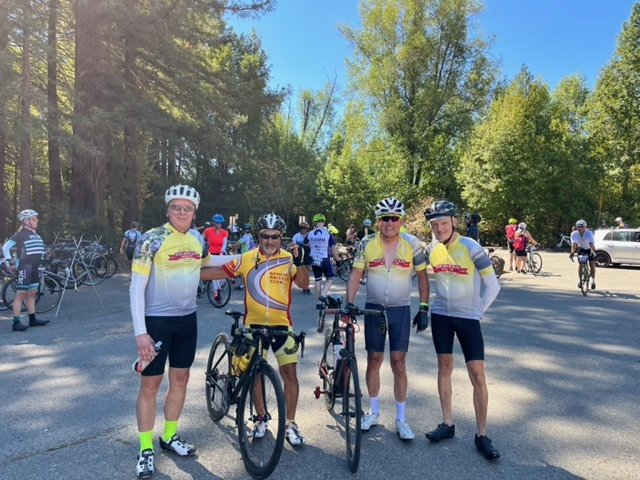
We set the pace, terrain, and distance of our scheduled rides to the skills and interests of the group. Most rides are 30-40 miles long including the “Bridge to Bridge” loop (riding from Benicia to Crockett to Martinez and back via the Carquinez and Benicia Bridges) and the “Rockville” ride through Cordelia and Green Valley to Rockville and back). Rides can vary from these routes depending on the size, skills, and interests of the group. All rides include a “coffee stop” to rest, snack, and enjoy each other’s company. No one gets left out, left behind, or “dropped”. Join us for a ride and try us out!
Our club has organized two ride groups to accommodate members’ needs: A-Ride and B-Ride. Refer to the Ride Calendar for ride dates, starting times, and starting locations.
“A” Ride
This ride is suitable for the more experienced rider having endurance for a 3-4 hour ride (with a mid-ride coffee stop) at an average pace of 14-16 mile/hour often with 1000 to 3000 feet of climbing. Although this is a faster paced ride, it is still a no-drop ride to allow riders to build their endurance and not get left behind.
Questions? Contact Bob Hyde at mail@beniciabicycleclub.org
“B” Ride
This ride is suitable for developing riders or experienced riders preferring a slower pace. This ride is typically 2-3 hours (with a mid-ride coffee stop) at an average pace of 10-12 miles/hour with some climbing. This is a no-drop ride so no rider gets left behind. To ride comfortably with this group, you should have sufficient conditioning and endurance to ride a 20-30 mile route with moderate climbing. An example of this is the Benicia-Martinez “Bridge-to-Bridge” circuit at 23.8 miles and ~1500 ft of climbing. Feel free to contact one of the ride sponsors listed for the A or B ride groups to learn how to develop your conditioning to comfortably ride with this group.
Questions? Contact Duane James at mail@beniciabicycleclub.org
Benicia Bicycle Club Best Practices
Become a Club Member by paying the $30 dues annually.
Sign the Club Liability Waiver each year.
Download the TeamSnap App to your phone and request to join the “Benicia Bicycle Club”. The TeamSnap App is the primary communication tool for the club. Details or changes to upcoming rides are shared via TeamSnap. The Chat and Email features of TeamSnap are the best way to stay “in the loop” regarding club rides, social events, service projects, meetups, etc.
Always wear a helmet when riding.
Be on time for scheduled rides.
Designate a “sweeper” for all rides. Our rides are “no-drop” rides and the group will assure that an experienced rider rides last to assure that all riders arrive safely at the destination.
Adjust the pace and route based on the fitness and abilities of those present. Both A and B-level rides are offered.
If a group splits up (for example a long climbing segment), agree on a “regroup” point beforehand (e.g. top of the climb, street intersection, etc.).
Look out for each other. Assist other riders with flat tires or other needs.
Provision yourself. Carry water, money (Apple Pay, credit card, cash), energy food, spare tire tube, and tire levers, a mini tire pump, or gas cartridges.
Road ID. It is highly recommended that all riders carry some form of ID and include emergency contact(s), health insurance info, and any medical concerns (allergies, etc.).
Medical Info for your iPhone: In the unlikely event, you were knocked out in a crash, your cyclist friends could access your information for the Fire/Paramedic crews very easily. There is even a setting you can toggle on that will transmit your medical information to the 911 operator when your phone is used to dial 911.
The following short support document on the Apple website shows you how to do it.
https://support.apple.com/en-us/HT207021
I encourage you all to do this, in the hope we never need to use it.
Get help during an emergency with your Android phone
You can use the Personal Safety app to save and share your emergency info. Your phone can also contact emergency services automatically in some countries and regions and with certain carriers.
Important:
Some of these steps work only on Android 12 and up. Learn how to check your Android version.
Some of these steps require you to touch the screen.
Prepare for an emergency
Important: Anyone who picks up your phone can view your lock screen message and emergency information even if your phone is locked. You can turn this setting off in the Safety app.

Click for our calendar of events: CLICK HERE
Non-members must sign a waiver at the start of the ride: Click Here for Waiver Form